RedBox Tracking & API Integration with ClickPost
Give shoppers a branded window into every RedBox delivery and cut order-status inquiries by up to 60%.
Trusted by 450+ global brands
RedBox Tracking
Benefits of Connecting with the RedBox through ClickPost
Fewer support tickets aren't the only upside. Once the RedBox is wired into ClickPost:
- Proactive alerts and live status checks bring WISMO tickets down by roughly 25%.
- Smarter carrier allocation and fewer failed deliveries trim logistics spend by about 22%.
- A tracking experience customers can actually see and trust pushes NPS up by 47%.
Check the integration library
| Partner ID | Order Creation | Cancellation | Tracking via Polling | Tracking via Webhook | Proof of Delivery (POD) | Non Delivery Report (NDR) | Create Pickup Request | AWB Generation Flow | Label Generation | Country | |
|---|---|---|---|---|---|---|---|---|---|---|---|

RedBox
|
✓ | ✓ | ✓ | ✓ | ✓ | ✓ | ✓ | Clickpost Generated | India |
RedBox services with ClickPost
How to Track RedBox Packages
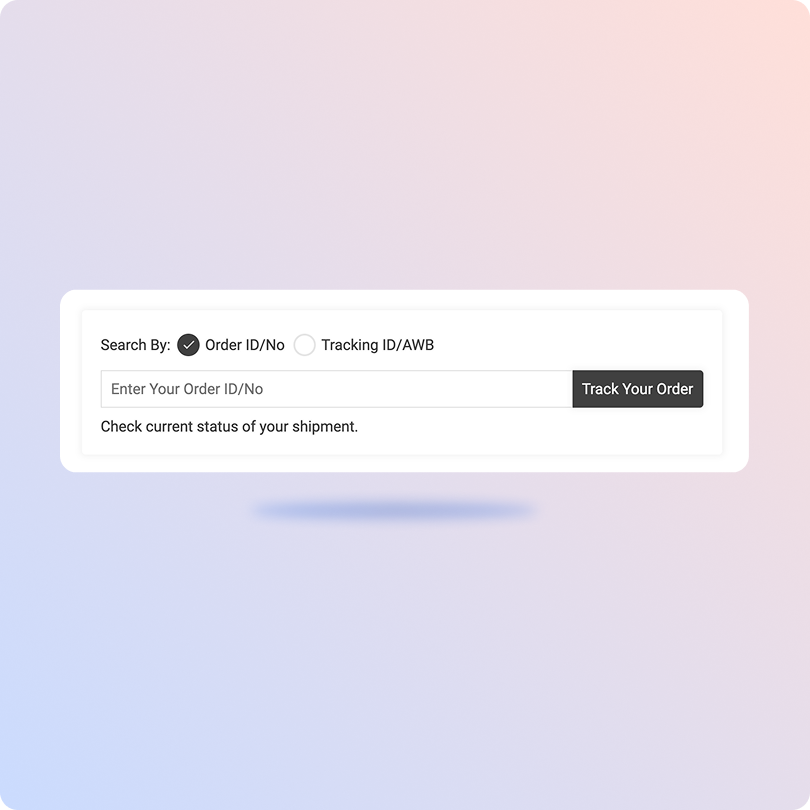
Track RedBox packages with the ClickPost Tracking Page
- Grab your tracking number.
- Open ClickPost's tracking page.
- Drop the number in, and hit track.
- Status pulls in real time.
Track RedBox Packages on the Official Page
- Go to RedBox’s official tracking site.
- Pick domestic or international, depending on the shipment
- Enter the alphanumeric ID printed on your barcoded receipt and click submit.
- Now you will get real-time visibility into your package.
List of RedBox APIs
| API | Description |
|---|---|
| Manifestation and Label Generation API | Book a shipment and generate the RedBox label in one call. |
| Track Shipment API | Pull live status on domestic and cross-border parcels. |
| Cancellation API | Stop a shipment before it's dispatched. |
| EDD API | Surface an expected delivery date pre-purchase. |
| NDR Action API | Push corrective instructions back to the carrier on failed deliveries. |
| Return Webhooks | Get notified automatically when return shipments are returned to the warehouse. |
Frequently asked questions
How does RedBox parcel locker delivery work in Saudi Arabia?
RedBox routes shipments to smart lockers located in supermarkets, malls, and residential compounds. Once a parcel lands in a locker, the recipient receives an SMS with a PIN and a tracking link, then opens the assigned locker by entering the PIN or scanning a QR code. Locker-to-door delivery is also available for customers who'd rather skip the pickup trip.
How long does RedBox take to deliver within Saudi Arabia and internationally?
Domestic shipments typically arrive within 1 to 3 business days across the Kingdom. International shipments generally take 5 to 30 business days, depending on the destination country and customs clearance times.
What happens if a RedBox shipment is lost or damaged?
RedBox compensates customers for shipments lost or damaged due to its own negligence, based on the declared value plus shipping cost, up to a set cap. Claims must be submitted within 2 days of receiving the shipment, and RedBox won't cover delays or losses due to customs holds, government action, or incomplete recipient details. Compensation for replaceable items, such as SIM cards or gift cards, is capped separately.
Can I return a parcel or ship internationally through RedBox?
Yes. RedBox Return handles reverse shipments back through its locker network, and its International Express service covers cross-border deliveries. There's also a Global Box option for shopping and shipping items from the US into Saudi Arabia. All of these run through the same tracking system as domestic shipments.
How does ClickPost track RedBox shipments given the locker-based delivery model?
RedBox parcels don't move through a typical door-to-door flow. Since RedBox is a pickup-drop-off (PUDO) service, each shipment is routed to a specific locker based on the customer's region, and its status changes to "deposited" once it arrives there, rather than "out for delivery." The customer then completes the last step by collecting the parcel from that locker. Because this flow differs from linehaul delivery, ClickPost's API integration is built to read and map these PUDO-specific status codes, so the branded tracking page accurately reflects "deposited at locker" and "collected" instead of forcing RedBox's flow into a standard delivery timeline.
Can ClickPost help choose between RedBox and other carriers for a shipment?
Yes. ClickPost's carrier allocation engine compares RedBox with other couriers connected to your account based on cost, transit time, and service type, then routes each order to the one that best fits. This is especially useful for sellers using RedBox's locker network for some orders and door-to-door carriers for others.
How does ClickPost handle RedBox delivery exceptions or failed locker pickups?
ClickPost flags exceptions like unclaimed locker parcels or failed delivery attempts automatically and routes them into a workflow your operations team can act on before they escalate. Combined with live tracking data, this catches stuck shipments early, rather than relying on customer complaints to surface the problem.
Does RedBox offer an API for shipment creation and tracking?
Yes. RedBox provides a REST API for businesses that covers locker and point lookups, shipment creation (single and bulk), shipment updates, and shipment status checks, all authenticated with a token generated from a RedBox merchant account. Sellers who don't want to build and maintain this integration in-house can connect through ClickPost instead, which already has this wired in alongside 150+ other carriers.
How does ClickPost's API integration with RedBox handle webhook-based status updates?
RedBox supports webhooks to push shipment status changes as they occur, rather than requiring constant manual polling. ClickPost's integration consumes these webhooks and reconciles them with polling as a backup, so a locker deposit or customer pickup reflects on the tracking page within moments instead of waiting for a scheduled sync.
What's the difference between integrating RedBox's API directly versus through ClickPost?
A direct RedBox integration means handling PUDO-specific logic yourself, including locker point lookups, status mapping, and webhook management, and repeating that work for every other carrier you add. With ClickPost, that logic is already built and normalized across carriers, so RedBox's locker flow and a door-to-door carrier's flow both appear consistently on the same dashboard and tracking page.
Streamline your shipping experience with ClickPost