Amazon Shipping Tracking and API Integration with ClickPost
Integrate Amazon Shipping with ClickPost to automate shipment tracking, streamline delivery workflows, and give your customers a post-purchase experience backed by one of the world's most trusted logistics networks.
Trusted by 450+ global brands
Benefits of Connecting Amazon Shipping with ClickPost
Amazon Shipping brings 10+ years of logistics expertise and a 7-day pickup and delivery network to businesses of all sizes across India. Here's what adding ClickPost to that looks like:
- 22% savings on logistics costs with automated carrier allocation ensuring every Amazon Shipping order takes the most cost-efficient route.
- 60% reduction in WISMO queries as customers stay informed at every delivery milestone through automated notifications and a branded tracking portal.
- 40% reduction in RTOs with smarter NDR management acting on failed Amazon Shipping deliveries before they default to a return.
Check the integration library
| Partner ID | Order Creation | Cancellation | Tracking via Polling | Tracking via Webhook | Proof of Delivery (POD) | Non Delivery Report (NDR) | Create Pickup Request | AWB Generation Flow | Label Generation | Country | |
|---|---|---|---|---|---|---|---|---|---|---|---|

Amazon Shipping
|
✓ | ✓ | ✓ | ✓ | ✓ | ✓ | ✓ | Clickpost Generated | India |
Amazon Shipping services with ClickPost
How to Track Amazon Shipping Packages
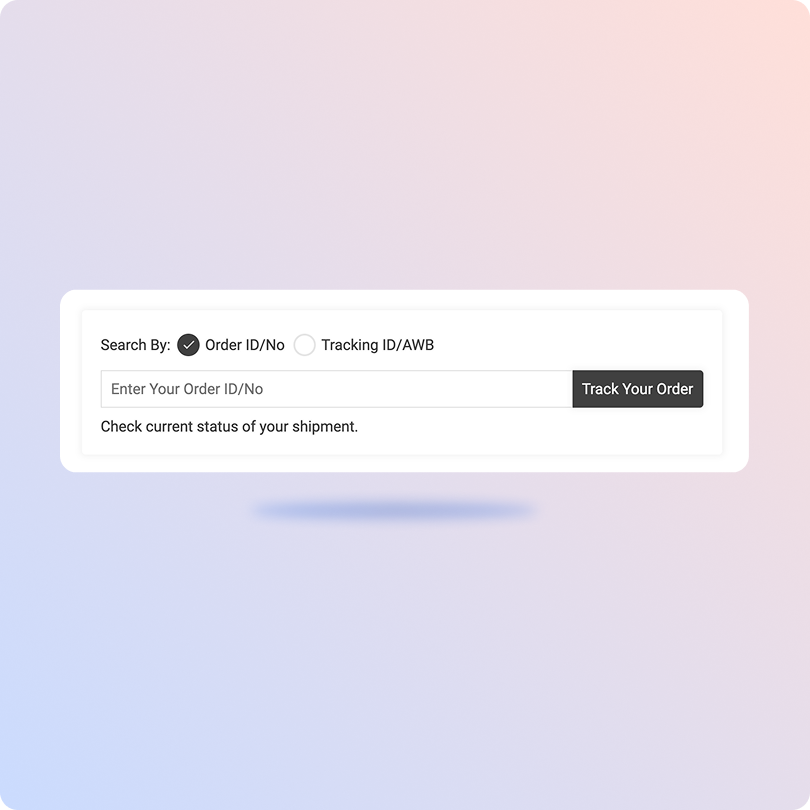
Track Amazon Shipping Packages with the ClickPost Tracking Page
-
Get your Amazon Shipping tracking number from the shipment confirmation.
-
Head over to the ClickPost Tracking Page.
-
Enter the tracking number in the search bar.
-
Hit "Track" and your shipment's live status will appear right away.
Track Amazon Shipping Packages with the Official Page
-
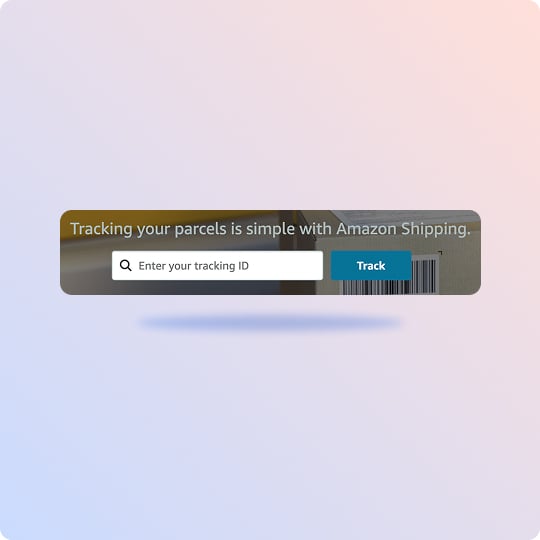
Visit Amazon Shipping's official tracking page.
-
Enter your tracking ID in the given space.
-
Hit "Track."
-
Your shipment's delivery status will update automatically.
List of Amazon Shipping APIs
| API | Description |
|---|---|
| Manifestation and shipping label generation API | Book Amazon Shipping orders and generate labels in bulk without a single manual touchpoint at dispatch. |
| Track Shipment API | All Amazon Shipping delivery updates flow into one real-time dashboard so your team never has to chase a status. |
| Cancellation API | Pull back an Amazon Shipping order before pickup in a few clicks, no carrier coordination required. |
| EDD API | Display an accurate delivery estimate at checkout so customers know what to expect before they hit confirm. |
| NDR Action Update | Failed deliveries surface instantly with full context so your team can act before the shipment defaults to RTO. |
| Return Webhooks | The moment a return is raised, the reverse pickup triggers automatically with no manual input needed. |
Frequently asked questions
How do I integrate the Amazon Shipping API into my e-commerce store to automate label creation?
You'll need to work with Amazon's Selling Partner API, specifically the Shipping API v2. Start by registering as a developer on Seller Central and requesting access to the Shipping API roles. Set up AWS IAM and Login with Amazon for OAuth 2.0 authentication, then call getRates to fetch eligible services and createShipment to generate the shipment. The API returns a tracking ID and a Base64-encoded label ready for immediate printing at your warehouse.
What are the best shipping tracking APIs that integrate with Amazon Seller Central?
Several multi-carrier tracking platforms sync directly with Amazon Seller Central to update order statuses and tracking numbers. ClickPost is well-suited for this, offering automated NDR management, multi-carrier tracking, and real-time data sync with Amazon in one place.
What is the difference between the Amazon Buy Shipping API and the Amazon Shipping API for third-party sellers?
Amazon Buy Shipping is exclusively for on-Amazon FBM orders and lets you purchase shipping from Amazon and other integrated carriers, with A-to-z guarantee protection included. The Amazon Shipping API is a standalone carrier service that works for both on-Amazon and off-Amazon orders like Shopify or WooCommerce stores, but without the on-Amazon policy protections for external orders.
How does Amazon Shipping API pricing compare to FedEx or UPS rates for high-volume sellers?
Amazon Shipping is significantly cheaper for high-volume D2C sellers shipping standard parcels under 50 lbs to residential addresses. It skips the residential fees, weekend surcharges, and fuel charges that add up fast with FedEx and UPS. For heavy shipments, B2B freight, or next-day express, FedEx and UPS still have the edge.
How does Amazon Shipping API tracking work for cross-border shipments in Europe and Asia?
A single tracking ID follows the parcel from your origin warehouse through export, customs clearance, and into the destination country's last-mile network. The API returns customs milestone events programmatically and adapts to regional tracking standards across markets like the UK, Germany, India, and Japan, including VAT and duty clearing milestones where applicable.
What webhooks does the Amazon Shipping API support for real-time tracking updates?
Amazon Shipping uses push notifications via webhooks instead of polling. Key events include Tracking Event Notifications for major milestones like Picked Up, Out for Delivery, and Delivered, NDR Eligible Shipments that fire the moment a delivery exception occurs, and Delay Alerts that trigger when a shipment is at risk of missing its promised delivery date.
Does Amazon Shipping API support multi-piece shipment tracking or only single parcel?
Amazon Shipping API v2 supports multi-piece tracking, allowing multiple packages to be bound under a single master shipment ID. For off-Amazon channels, multi-piece containers can be processed with individual tracking links tied back to a master order. Amazon Buy Shipping for FBM orders has more limited support for this and typically requires separate labels per line item.
How does ClickPost's NDR management work with Amazon Shipping's delivery network?
When Amazon Shipping logs a failed delivery, it pushes an NDR webhook to ClickPost, which immediately sends an automated WhatsApp, SMS, or email to the customer to collect an updated address or preferred delivery slot. Once the customer responds, ClickPost pushes that information back into the Amazon Shipping system to set up a successful second attempt, cutting down RTOs before they pile up.
How does ClickPost's EDD feature work with Amazon Shipping's 7-day delivery network?
ClickPost's EDD engine pulls historical performance data and SLA metrics from Amazon's 7-day network to display a precise delivery estimate on your checkout page. Since Amazon delivers on weekends, ClickPost dynamically updates the tracking page on Saturdays and Sundays in real time, keeping customers informed without your support team having to step in.
How does ClickPost help D2C brands scale their Amazon Shipping operations?
ClickPost adds an enterprise operations layer on top of Amazon Shipping. If Amazon doesn't service a specific pin code or hits weight limits, ClickPost automatically routes the order to the next best carrier. Customers land on a branded tracking page instead of a standard carrier tracking page, and brands managing orders across Shopify, Magento, and Amazon get a single dashboard view of all shipment data, delays, and RTO trends across carriers.
Streamline your shipping experience with ClickPost