.png?width=193&height=27&name=ClickPost%20Logo%20(Blue).png)
.svg)
.svg)
.svg)
.svg)
.svg)
.svg)
.svg)
.svg)
.svg)


.svg)
.svg)
.svg)
.svg)
.svg)


.svg)
.svg)
.webp?width=286&height=206&name=ROI%20Calculator%20(1).webp)
.svg)
.svg)

.svg)

.webp?width=286&height=206&name=RTO%20Playbook%20(1).webp)
How to create a shipping label? All about shipping labels that businesses must know


Ready to ship smarter? Talk to our logistics experts.
Trusted by 600+ brands
In this blog
TL;DR
If you are figuring out how to create a shipping label, the process is simpler than it looks. You need the right sender and recipient details, the correct package specs, and a carrier or shipping platform that can generate a label the carrier can scan without friction.
Key points:
- A shipping label is the package’s routing document. It tells the carrier where the parcel is going, what service was purchased, and how to track it.
- Domestic and international labels are not the same. Cross-border shipments usually require customs data and supporting documents.
- Small shippers can create labels directly on USPS, UPS, or FedEx websites, while higher-volume teams usually move to ecommerce shipping software for speed and accuracy.
- Label mistakes cause preventable delays. Wrong addresses, unreadable barcodes, and poor label placement are some of the most common problems.
- You do not need a special printer to start, but thermal printers become worthwhile once label volume rises.
This guide walks through what a shipping label is, what it includes, what to check before printing one, and the two most common ways businesses create labels today.
What is a Shipping Label and Why Do Online Sellers Need It?
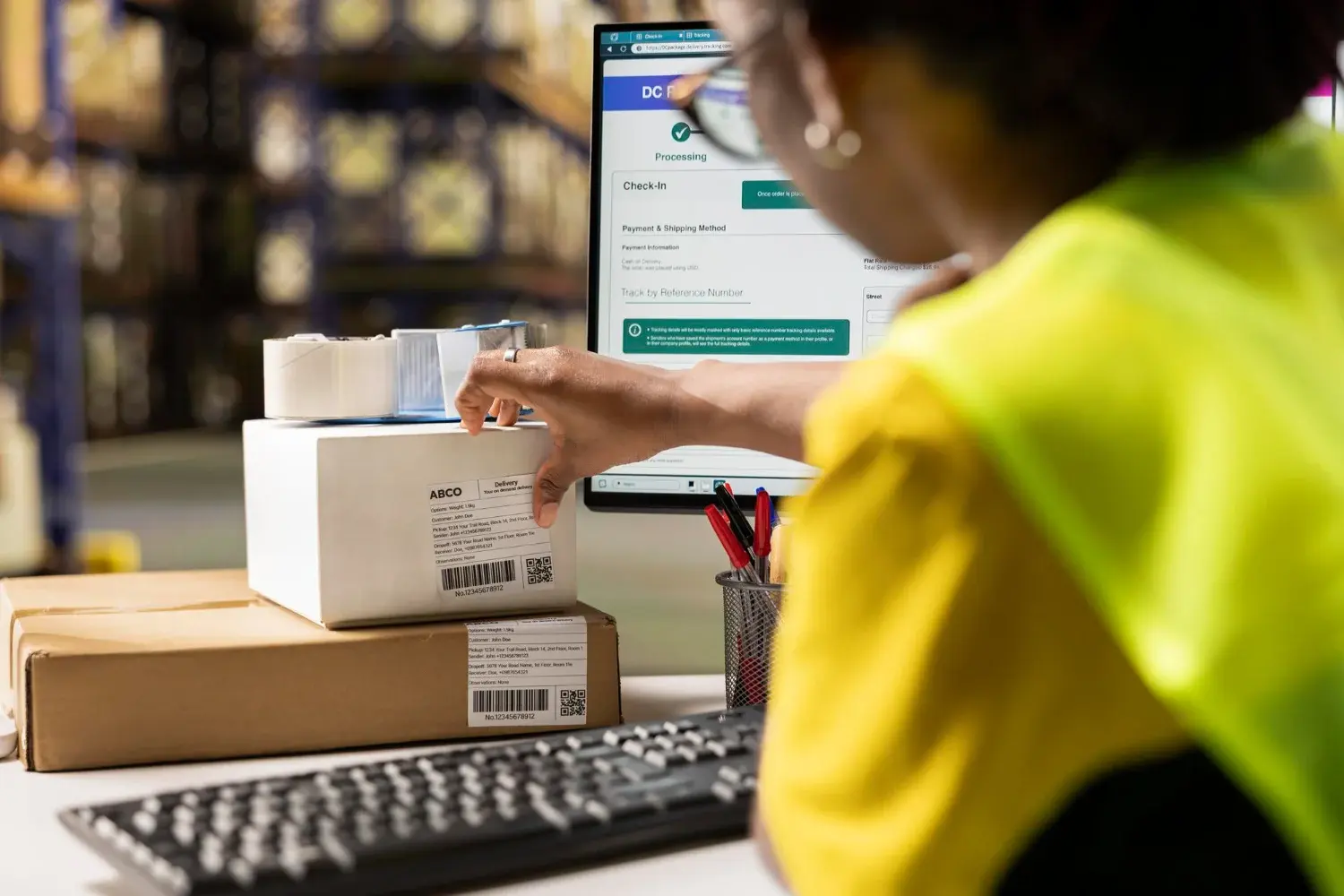
For most online sellers, the shipping label is the moment an order stops being a website transaction and becomes a real package moving through a carrier network. It is the barcode, address block, service level, and tracking reference that let USPS, UPS, and FedEx sort, scan, route, and deliver a shipment correctly.
Get the label right, and the parcel moves cleanly through the network. Get it wrong, and even a perfectly packed order can end up delayed, returned, or stuck in exception handling.
Shipping Label Basics: What It Is and What It Does for Your Package
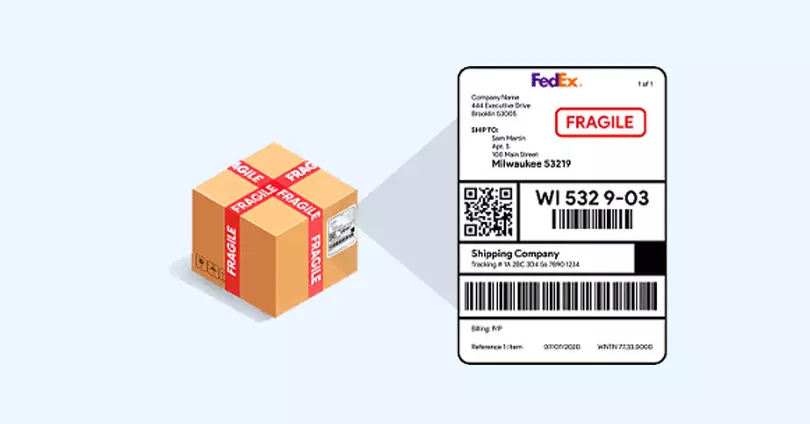
A shipping label is the carrier-facing document attached to a parcel that identifies who is sending it, where it is going, and what service was selected. At the same time, it tells how you can track the shipment through the network. Practically, a shipping label is the package's operating instruction sheet. Without it, the carrier cannot reliably sort, scan, or move the shipment.
Every shipping label is associated with a specific shipment. That matters because the barcode and tracking number are not generic references. They are for one package, one routing path, and one postage or billing transaction. While carriers automatically generate parts of that data, the shipper still has to enter the shipment details correctly, especially the addresses, package weight, dimensions, and service choice.
It also helps to separate shipping labels from other documents that merchants often confuse them with. Some examples are packing slips or customs paperwork. A packing slip is mainly for the customer or warehouse team. A shipping label is for the carrier. For international shipments, the label may be accompanied by customs forms or commercial invoices used by customs authorities and brokers during clearance.
Source: USPS Parcel Labeling Guide, USPS Send Mail & Packages, UPS Create and Print Shipping Labels, FedEx Create a Shipping Label, USPS Customs Forms, FedEx Customs Clearance
What Information Must Appear on Every Shipping Label?
A shipping label may look like a simple sticker, but it carries several layers of information that carriers use for routing, scanning, service validation, and tracking. The exact layout varies by carrier and service type. However, the core fields stay broadly similar across US parcel shipping.
Sender Name and Return Address for Failed Deliveries
This information tells the carrier where the package came from and where it should return if delivery fails. For merchants, it is more than a formality. It is the fallback path for undeliverable parcels and return-to-sender events.
Recipient Name and Delivery Address: The Routing Destination
That is the destination block the carrier uses to route the package to the final stop. Address quality matters here. A formatting error, an invalid ZIP Code, or a missing suite number can trigger delays, address-correction charges, or failed delivery attempts.
Tracking Number: Your Package's Unique Identifier
The tracking number is the shipment's unique reference. It allows both the shipper and the customer to follow movement across acceptance, sortation, transit, out-for-delivery, delivery, or exception events. This is especially critical for ecommerce order tracking and customer communication.
Barcode: Machine-Readable Code That Moves Your Package
The barcode is what lets carrier systems scan the shipment at speed. In high-volume networks, that barcode does much of the real operational work. If it is smudged, wrinkled, or placed badly, the parcel may fall out of automated processing and require manual intervention.
Service Level Indicator: Ground vs Priority vs Overnight Shipping
This information tells the network what product was purchased, such as USPS Ground Advantage, Priority Mail, or another parcel service. It helps determine handling priority, expected transit profile, and the correct operational stream inside the carrier network.
Postage Payment Confirmation or Billing Reference
The label also indicates whether postage has been paid or billing is tied to a carrier account. In other words, the label is not what you buy. The transportation service is what you buy, and the label is the visible proof of that transaction.
Special Handling Codes for Hazmat, Returns, or Fragile Items
Some shipments require additional identifiers for hazardous materials, returns, or special handling conditions. These are not decorative fields. They affect compliance, routing, and sometimes whether the carrier can legally accept the shipment at all.
For international shipments, the label alone is usually not enough. Customs descriptions, declared values, and commercial documentation often need to accompany the package. That is where many first-time cross-border shippers run into trouble, because a domestic workflow does not automatically translate to international shipping.
Source: USPS Online Shipping with Click-N-Ship, UPS International Shipping and Customs Forms
What to Verify Before You Create a Shipping Label
Before you print anything, it is worth pausing for a few operational decisions. Label creation is easy. Creating labels efficiently, accurately, and at scale is where businesses either save time or create avoidable headaches.
1.How Many Packages Do You Ship Per Day or Week?
If you only ship a few packages here and there, creating labels one by one on a carrier website may be perfectly fine. You enter the address, select the service, pay, print, and hand the package off. For very small shipping operations, that is often the cheapest way to get moving without adding software or hardware too early.
But the economics change fast once order counts rise. At that point, the real cost is not just postage. It is staff time, repeated data entry, correction work, and the risk of address or service mistakes across dozens or hundreds of labels. That is usually when businesses start looking at batch creation, marketplace integrations, or multi-carrier shipping systems.
USPS itself now supports batch and import options in Click-N-Ship for more structured label workflows.
2. Which Carrier Should You Use: USPS, UPS, FedEx, or Regional Partner?
There is no single best carrier for every package. The right choice depends on where the parcel is going, how quickly it needs to arrive, and the package's dimensions and weight. It also depends on whether the shipment requires extra services such as returns support, pickup, or special handling. That is why merchants that ship regularly usually compare carriers instead of defaulting to just one.
For example, USPS may be attractive for many residential and lightweight parcel use cases. At the same time, UPS and FedEx may offer a stronger fit in other scenarios, depending on service level, pickup needs, or account setup. The point is not brand loyalty, but shipment fit. Understanding the differences between FedEx, UPS, and USPS helps businesses make smarter routing decisions.
The more your shipping mix diversifies, the more valuable carrier allocation and standardized label generation become.
3. Is Your Package Weight, Dimensions, and Address Data Accurate?
A shipping label is only as accurate as the shipment data behind it. Before printing, you should have the complete address, the actual package weight, and the correct dimensions if the service requires them. That is especially important when the package is not moving on a flat-rate product.
It is also an area where many chargebacks and adjustment fees begin. If the dimensions or weight entered during label creation do not match what the carrier measures later, the package may be re-rated after the fact. For growing eCommerce teams, it is not a minor detail. It directly affects margin control and the accuracy of shipping costs.
Source: USPS Click-N-Ship User Guide, USPS How to Prepare & Send a Package,
FedEx Ship Manager Online, FedEx Shipping
How to Create a Shipping Label: Two Methods for Online Sellers
At a high level, businesses usually create shipping labels in one of two ways. They either generate them manually through a carrier’s website or they use software that pulls order data into a shipping workflow and creates labels in a more automated way.
Both approaches are valid. The right one depends on shipping volume, internal process, and how much control you need across carriers and orders.
Method 1: Print Shipping Labels Directly on USPS, UPS, or FedEx Websites
For low-volume shippers, this is the most straightforward path. You go to the carrier site, enter the origin and destination details, input package data, choose the service, pay for postage, and print the label. It is simple, accessible, and good enough for businesses that are still building their shipping operations.
Creating USPS Shipping Labels with Click-N-Ship
USPS Click-N-Ship lets shippers pay for postage and print a shipping label from their own printer. If you do not have a printer, USPS also offers Label Broker and Label Delivery Service options. That is useful for small shippers or home-based sellers. USPS also supports international labels and customs forms through its online flow.
How to Print a UPS Shipping Label Online
UPS allows users to create a shipment through its online flow by entering the ship-from and ship-to information, adding package details, choosing the service, and paying before printing the UPS shipping label. UPS also supports guest shipping in its label-creation process, which lowers the barrier to entry for smaller or occasional shippers.
Generating FedEx Shipping Labels via FedEx Ship Manager
FedEx offers online label creation through fedex.com and FedEx Ship Manager. Shippers can create labels, choose service options, and print at home. If no printer is available, FedEx also supports QR-based store printing in many cases, a practical fallback for lower-volume users. Learn more about creating a FedEx shipping label for your business.
This route works well when order counts are low and the business can tolerate manual entry. The downside is that the workflow becomes slower and more error-prone as volume increases, especially when teams copy order information from one system to another.
Method 2: Automate Label Creation with Shipping Software and APIs
Once a business starts shipping regularly, manual label creation usually becomes the bottleneck. Teams waste time retyping addresses, switching between carrier sites, and correcting preventable mistakes. Shipping software solves that by centralizing shipment data, pulling in order information, and generating labels in a more consistent workflow.
The operational value is not just speed. It is also standardization. A good system helps with address quality, service selection rules, tracking visibility, and multi-carrier management. That translates into fewer touchpoints per order and fewer mistakes for eCommerce and operations teams. These errors later surface as delays, returns, or support tickets.
Carrier websites are fine for occasional shipping. Software becomes the smarter choice once label creation starts to feel repetitive, manual, and overly dependent on human attention. That is usually the point when the shipping function stops being a task and starts becoming an operation with logistics automation.
Source links: USPS Online Shipping with Click-N-Ship, USPS Label Broker & Label Delivery Service, USPS How to Send a Package: International, UPS Create and Print Shipping Labels, FedEx Create a Shipping Label, FedEx Ship Manager Online, FedEx Mobile App
Shipping Label Best Practices: How to Avoid Delays and Delivery Failures
Printing a label is one thing. Using it correctly is what keeps the shipment moving without exception. A few small habits can prevent a surprising number of delivery problems.
Always Validate the Shipping Address Before Purchasing the Label
A shipping label only works if the underlying shipment data is correct. Wrong apartment numbers, bad ZIP Codes, and incomplete business addresses are among the easiest mistakes to make and the most expensive to clean up later. Address validation helps reduce RTO rates significantly.
Use Actual Package Weight and Dimensions to Avoid Surcharges
If the shipment data does not match the actual parcel, the carrier may apply rating adjustments after the label is created. That hurts cost control and creates confusion when merchants try to reconcile shipping spend.
Where to Place Your Shipping Label on the Box or Envelope
Do not wrap the label around an edge, seam, or corner. Carriers need the barcode to scan cleanly during automated handling. A wrinkled or curved label increases the odds of scan failures and manual exception handling. Learn more about printing shipping labels correctly.
How to Protect Shipping Labels from Water, Tears, and Smudging
If you are not using adhesive thermal labels, secure the full label well so it stays readable through transit. FedEx specifically recommends using document pouches for labels or customs forms that need extra protection on certain shipments.
International Shipping Labels Require Additional Customs Documentation
Cross-border shipments usually require customs information and supporting documents beyond the domestic address label. Missing or vague customs details are a common reason packages get delayed at clearance. Businesses should understand international shipping requirements before creating labels for overseas destinations.
Set Up a Return Label Process for Customer Returns
If your business handles returns regularly, it is smart to define in advance whether customers will receive a preprinted return label, a downloadable label, or a QR code flow. That saves time for support teams and creates a cleaner post-purchase experience. Consider implementing a returns management system to streamline this process.
Source: USPS Parcel Labeling Guide, USPS How to Prepare & Send a Package, UPS Create and Print Shipping Label
Methodology and editorial note
This article was researched and written using official carrier and postal documentation, with priority given to USPS, UPS, FedEx, and USPS PostalPro resources. The aim was to explain shipping labels from an operational perspective of a US business, not just to define the term. Where carrier rules vary by service, account type, or shipment class, this guide sticks to broadly applicable guidance and avoids making rate or service promises that may change over time. It is an editorial explainer, not legal, tax, or customs compliance advice, and merchants should confirm live requirements before creating labels for international, hazardous, or specialized shipments.
Final Takeaway: Shipping Labels Are Your Package's Passport Through the Carrier Network
A shipping label looks simple because the hard work is hidden inside it. It carries the data that tells a carrier how to route, scan, bill, track, and deliver a package. Once a business understands that, label creation stops feeling like a clerical step and starts looking like one of the most important control points in the ecommerce fulfillment process.
Whether you manage last-mile delivery operations, run a D2C brand, or coordinate order fulfillment services, getting the shipping label right is the first step toward reliable delivery and happy customers.
Frequently Asked Questions About Shipping Labels
What information is required on a shipping label for USPS, UPS, and FedEx?
A standard shipping label includes the sender and recipient names and addresses, a tracking number, a machine-readable barcode, and the selected shipping service. International shipments usually need added customs details and supporting documents beyond a domestic label.
Do shipping labels expire if not used immediately?
Some do in practice because they are tied to a shipment date or a limited refund and validity window. If a label remains unused for too long, the safest move is to void or refund it if eligible and create a fresh one before shipping.
Do you need a thermal printer to print shipping labels at home?
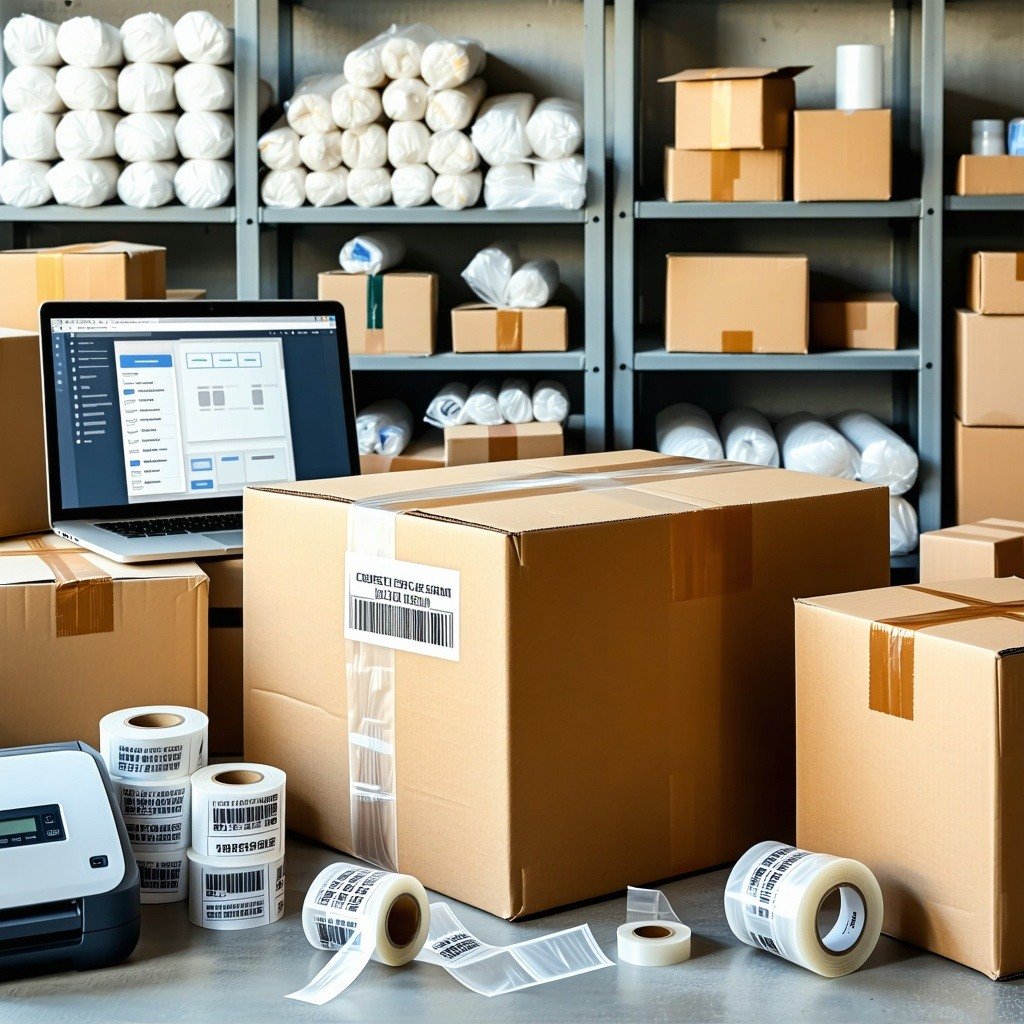
No. You can print a shipping label on a regular printer if the output is clear and scannable. A thermal printer becomes useful once label volume increases, as it speeds up packing and eliminates the need to cut and tape paper labels.
How much does it cost to create a shipping label?
The label itself is not the real purchase. What you are paying for is the shipping service. The final cost depends on the carrier, service level, destination, package weight, and sometimes dimensions. Compare options like 2-day shipping or next-day delivery to find the best rate.
What happens if a shipping label is damaged or becomes unreadable in transit?
If the barcode or address block cannot be scanned or read, the package may be delayed, misrouted, or pulled into manual handling. The best prevention is simple: place the label flat, keep it fully visible, and protect it from tearing, moisture, and smudging. This helps avoid delivery exceptions.
Can you reuse or edit a shipping label after printing?
No. A shipping label is created for a single shipment and is tied to a unique tracking and billing event. If the details are incorrect, the proper fix is to void or cancel the original label, if eligible, and create a new one.



We use cookies to keep the site working, understand usage, and improve your experience. Learn more
Always active for essential site performance and security.
Enables anonymous usage analysis to refine our services.
Used to present relevant promotions and advertising.