.png?width=193&height=27&name=ClickPost%20Logo%20(Blue).png)
.svg)
.svg)
.svg)
.svg)
.svg)
.svg)
.svg)
.svg)
.svg)


.svg)
.svg)
.svg)
.svg)
.svg)


.svg)
.svg)
.webp?width=286&height=206&name=ROI%20Calculator%20(1).webp)
.svg)
.svg)

.svg)

.webp?width=286&height=206&name=RTO%20Playbook%20(1).webp)
How To Create, Print and Manage Shipping Label?


Ready to ship smarter? Talk to our logistics experts.
Trusted by 600+ brands
In this blog
What Is a Shipping Label and Why It Matters for Ecommerce in 2025
In the grand scheme of ecommerce, it is easy to get distracted by product pages, payment gateways, and marketing funnels. But hidden beneath the wrapping paper and cardboard lies one of the most underappreciated pillars of modern logistics—the shipping label.
Without this modest label, even the most carefully packed order has little chance of arriving where it needs to be. Whether you run a startup or manage a nationwide fulfillment network, getting your shipping label strategy right can save you serious costs. It can help prevent mishandled parcels and elevate the delivery experience for your customers.
The global growth of ecommerce has pushed the shipping label market to new heights. Projections estimate a climb from USD 2125 million in 2024 to nearly USD 2684 million by 2032. Behind every timely delivery, there is a label acting as a digital passport.
It holds critical data about the destination, weight, carrier, and tracking information. And in a landscape where over 90% of shoppers track their orders, missing or incorrect labels are the deal-breakers.
So whether you are just starting out or you are streamlining high-volume fulfillment, this article will walk you through everything you need to know. It will discuss everything from how to create a shipping label using USPS, UPS, and FedEx to tips that help avoid costly mistakes. Because if shipping is the vehicle of ecommerce, labels are its navigation system.
What Is a Shipping Label? Definition, Components, and How It Works
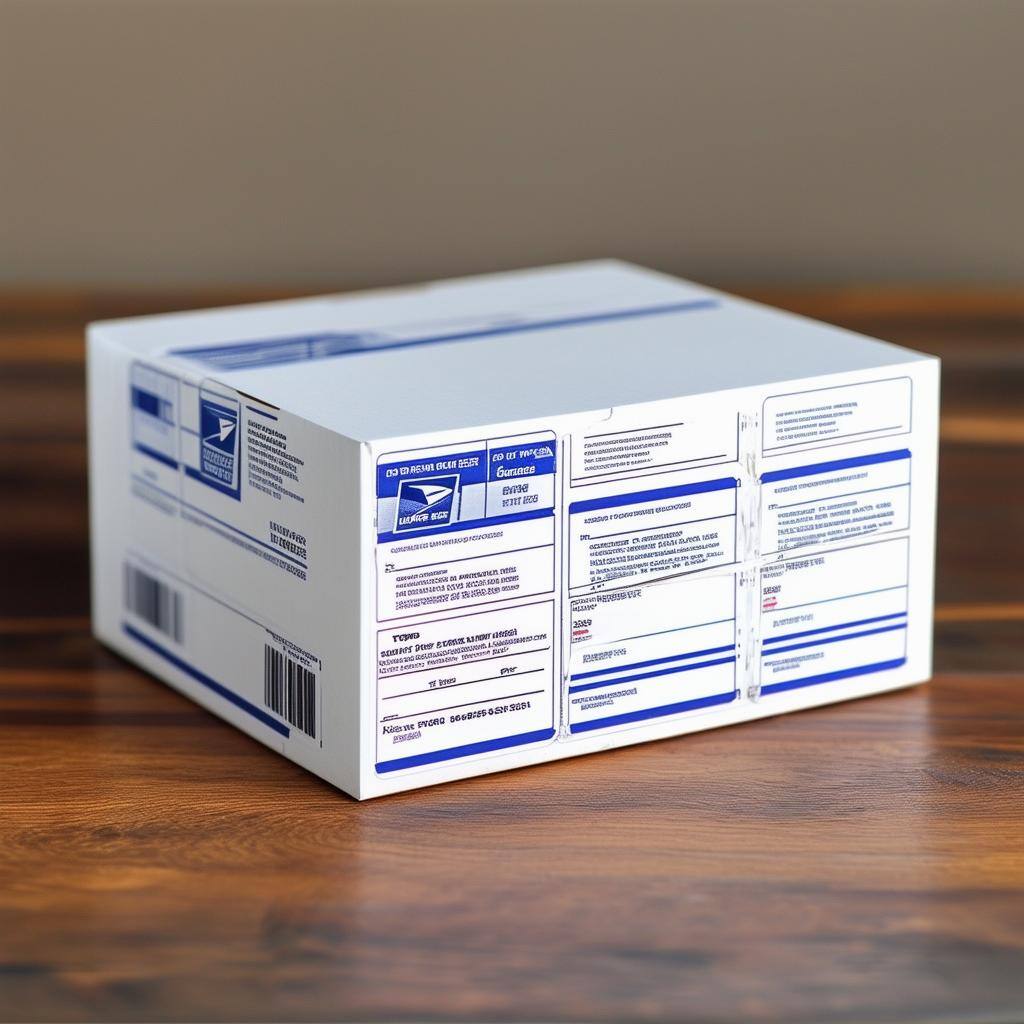
A shipping label is a printed data slip that acts as a passport for your parcel. This label allows the parcel to move across sorting hubs, cross-state highways, and doorsteps with clarity. Think of it as an identification badge attached to your box, which details essential shipping information.
It includes the sender and recipient's name and address, a scannable barcode, package weight, and the shipping method selected. It is how carriers like FedEx, USPS, and UPS make sense of millions of shipments moving across the country.
More than just an address label, the shipping label plays a strategic role in supply chain success. It enables quick sorting, real-time scanning, and seamless hand-offs between different logistics partners across the ecommerce supply chain. Each carrier has its own format.
For example, FedEx shipping labels may include maxi codes for international shipments, while USPS shipping labels follow a strict alignment of barcodes and service types. The label is machine-readable and designed for automated systems. It reduces manual input errors and delivery delays.
Most shipping labels include the following elements:
-
Sender and recipient name and address
-
Tracking number and barcode
-
Package weight and dimensions
-
Chosen shipping method (express, ground, etc.)
-
Service level and special instructions
-
QR code or routing code
These components ensure each shipment can be scanned, tracked, and traced from store to doorstep with minimal disruption. Labels work best when they are legible, weatherproof, and placed correctly. As the number of international shipments grows, these labels often include customs forms and item descriptions for global clearance.
Businesses can enhance shipping labels with dynamic QR codes for shipping labels that give customers instant access to live order tracking, delivery instructions, return information, or support resources without changing the printed label.
Why Do You Need to Create and Print Shipping Labels for Your Ecommerce Business?
Before a shipment hits the road, the label tells everyone in the logistics chain what it is, where it is going, and how to handle it. Let us look at why creating and printing shipping labels is essential for ecommerce businesses:
1. How Shipping Labels Make the Entire Fulfillment Process More Efficient
A well-structured label helps accelerate the entire shipping process, from fulfillment centers to final drop-offs. When label creation is streamlined, it cuts down scanning times, reduces human errors, and prevents packages from being sent to the wrong zip code.
Labels also allow third-party carriers to automate their sorting and prioritization workflows. It ensures packages are dispatched in the correct sequence.
To implement this effectively, businesses should use online tools that automatically generate labels with the correct format for each carrier. It saves time and also reduces mistakes that come from manual entry.
Many platforms integrate directly with your ecommerce store. They sync order details and customer information to generate ready-to-print labels within seconds. Pairing label automation with broader ecommerce automation tools can dramatically reduce manual workload at scale.
2. Real-Time Tracking and Shipment Transparency for Customers
A label enables more than movement; it enables visibility. The tracking number embedded in the label allows customers to follow their shipment across hubs, trucks, and cities. Many brands now pair this with a Form QR code generator to link customers directly to branded tracking or feedback forms. With tracking notifications increasingly linked to customer satisfaction, this transparency is a necessity.
To take full advantage, businesses must ensure their shipping labels are compatible with major carriers' tracking systems. You can also set up branded tracking pages using platforms like ClickPost, where your customers get live status updates in a format that strengthens your brand.
3. How Shipping Labels Help You Calculate and Control Shipping Costs
Labels are also used to calculate shipping rates based on the box size, weight, and service level. Without an accurate label, a package could be underpaid or overcharged.
That can lead to returned packages or unexpected fees from the carrier. It is especially crucial when dealing with international shipping, where customs compliance and fees are tightly linked to label information.
That is where automation comes in. Online shipping software allows you to input package dimensions once and generates labels that apply the best shipping rates automatically. Many platforms even help you compare pricing across carriers so you can select the most cost-effective route. You can also use a UPS shipping cost calculator or a USPS shipping calculator to estimate costs before printing your label.
4. Staying Compliant: Why Shipping Labels Are Required for Legal and International Shipments
Shipping labels also help your business stay compliant, especially for international or regulated goods. From return shipping labels to customs forms, the label holds legally required data that enables clearance and lawful movement.
To avoid complications, businesses should use carrier-approved templates or automated tools that understand regulatory requirements for international shipments. The labels printed must also meet label quality standards. They must be clear, scannable, and durable enough to survive rough handling or weather exposure.
How to Create Shipping Labels Using USPS, UPS, and FedEx in 2025
Each of the major carriers in the United States, such as USPS, FedEx, and UPS, offers dedicated tools for label creation. Modern ecommerce shipping software auto-generates compliant shipping labels at scale — pulling order data, selecting the carrier, and printing labels in bulk without manual entry. Whether you are shipping one parcel or printing hundreds of labels, here is how to make it happen:
How to Create a Shipping Label with USPS Step by Step
USPS makes it easy for individuals and small businesses to create a shipping label using its Click-N-Ship tool.
Step 1: Set up or log in to USPS Click-N-Ship
Create a USPS account or log in to use Click-N-Ship. This platform is designed to create labels online, especially for small shipments or personal use.
Step 2: Add your sender and recipient shipping details
Enter the sender and recipient address. Make sure you include apartment or unit numbers to avoid misrouting.
Step 3: Select USPS service type and input package weight
Choose your preferred shipping method (Priority Mail, First-Class, etc.). Add the package size, weight, and any special shipping notes. If you are unsure about USPS Priority Mail vs Priority Mail Express, compare both options before selecting.
Step 4: Print the USPS shipping label at home or in the office
Once done, you can print the label using a standard or thermal printer and attach it to the box using clear tape or self-adhesive labels.
How to Create a Shipping Label with UPS Step by Step
UPS provides robust tools for individuals and ecommerce brands via the UPS.com portal.
Step 1: Sign in to your UPS account
Log into your business or personal UPS account and head to the shipping dashboard.
Step 2: Add sender and recipient address information
Input the relevant addresses, taking care to review for typos or incomplete zip codes.
Step 3: Select UPS shipping option and enter package dimensions
Choose Ground, 2nd Day Air, or another UPS shipping method. Add package dimensions and weight, and specify return labels if needed. You can also learn more about the difference between UPS SurePost and UPS Ground to pick the right service level.
Step 4: Print the UPS label and schedule a pickup
You can print labels directly or schedule a UPS pickup. Bulk users can save time by integrating UPS with their ecommerce backend. For a detailed walkthrough, see our guide on how to create and print UPS shipping labels.
How to Create a Shipping Label with FedEx Step by Step
FedEx Ship Manager is an intuitive platform used by thousands of businesses for both domestic and international shipping.
Step 1: Log into FedEx Ship Manager
Either create a FedEx account or access the Ship Manager portal for business shipping.
Step 2: Fill in FedEx shipment data including weight and dimensions
Add the package weight and dimensions, and select the desired level of service, such as FedEx Express, Ground, Overnight, etc. You can also check FedEx courier charges to estimate costs before printing.
Step 3: Choose delivery preferences and add-ons
Include return shipping labels, insurance options, and whether a signature is required at delivery.
Step 4: Print and attach the FedEx shipping label correctly
Print FedEx shipping labels using your connected printer. Make sure the QR code and barcodes are fully visible and unobstructed.
All three carriers allow businesses to create shipping labels online and print them on demand. If you work with multiple carriers, a platform like ClickPost can help consolidate these steps. They offer an all-in-one platform that automatically generates labels, tracks shipments, and reduces manual input. For businesses managing high order volumes, exploring multi-carrier shipping software is a smart next step.
How to Print Shipping Labels Correctly: A Step-by-Step Guide for Small and Large Businesses
Printing a shipping label may seem straightforward, but incorrect execution can result in lost packages, failed scans, or costly returns. Whether you are fulfilling 10 orders a day or processing hundreds, ensuring your label is accurate, well-placed, and scannable is essential. Below is a step-by-step breakdown that helps you get it right the first time and every time after.
Step 1: Choose the Right Label Format and Printer for Your Shipping Volume
Before diving into label creation, assess your printing method. For lower-volume order fulfillment, a standard inkjet or laser printer might suffice. However, for high-volume environments, thermal printers offer a more reliable solution.
It includes printing labels without ink using heat. These are compatible with adhesive-backed paper and ideal for avoiding smudges and misprints. Also, always match your label paper type with your printer's settings to prevent misalignment. If you are a small business owner, our dedicated guide on how to print shipping labels for small businesses covers everything you need to get started.
Step 2: Create and Format the Shipping Label Using Your Carrier or Shipping Platform
Use the official platforms of your chosen shipping carrier (FedEx, USPS, UPS) or an integrated shipping tool to create your label. You will need to enter key shipment information such as the sender and recipient address, package weight, dimensions, and selected shipping method.
Always preview the label before printing. It ensures that barcodes, QR codes, and important order details are aligned properly. Creating multiple labels? Use batch processing tools or all-in-one platforms to save time.
Step 3: Print Shipping Labels Cleanly — How to Avoid Smudges, Fades, and Cut-Off Text
Before you print shipping labels, ensure your printer has no dust buildup and sufficient toner or thermal capacity. Labels should print crisply, without faded barcodes or cut-off text.
If you are using standard printers, print on a clean, flat surface and use clear tape only on the edges. Do not do it over the barcode or tracking number. For thermal printers, you can print labels directly onto adhesive paper, which often removes the need for tape altogether.
Step 4: How to Apply a Shipping Label Securely to Avoid Loss or Damage in Transit
Once the label is printed, apply it to the largest flat surface of the box. It ensures maximum visibility for scanning devices. Use strong adhesive or high-quality self-adhesive labels that will not peel during transit.
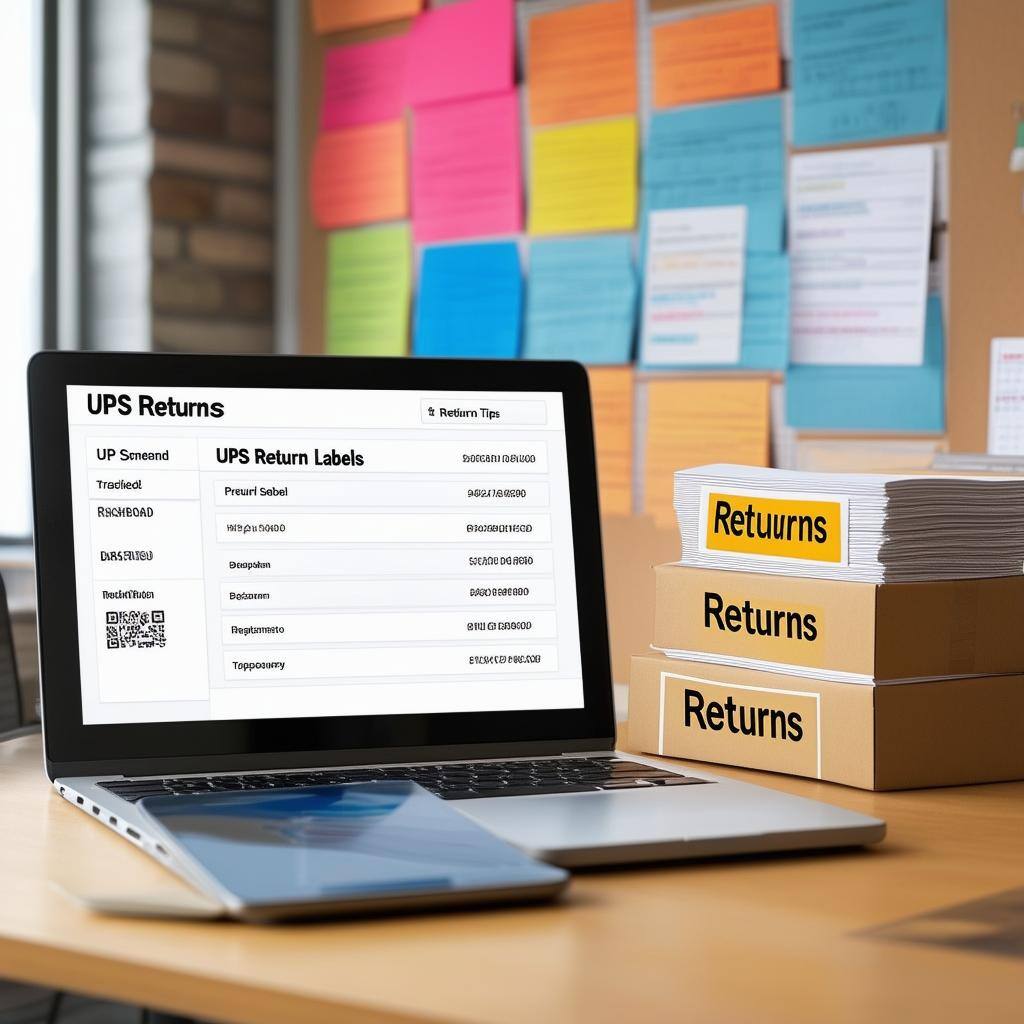
If shipping in poor weather, reinforce the label with waterproof tape. It will ensure no critical areas are covered. For return shipments, always print return labels and include them inside or attach them externally as needed. Understanding the role of prepaid shipping labels can also simplify returns and outbound fulfillment for growing brands.
Common Shipping Label Mistakes to Avoid — and How to Fix Them
Even the most experienced businesses can slip up when it comes to creating and printing shipping labels. While these errors might seem small, they can severely disrupt the entire process, from causing delivery delays to lost packages. Here are three common missteps and how you can avoid them:
1. Incorrect Address Information on Shipping Labels
One of the biggest causes of delayed or returned shipments is inaccurate address information. A missing apartment number, an outdated ZIP code, or an extra digit in the street address can misroute a package and create unnecessary delays. Incorrect recipient info can also lead to additional costs if carriers need to reprocess the shipment.
To avoid this, always double-check the address label before you print. Many platforms like FedEx and USPS offer address verification tools that validate your entry against official databases. This small step helps prevent shipping delays and ensures the package reaches the correct doorstep.
2. Choosing the Wrong Shipping Service or Carrier on Your Label
Not all shipping methods are created equal. Choosing the wrong option, like selecting ground instead of two-day shipping for an urgent order, can lead to unmet expectations and frustrated customers. The correct method balances speed, cost, and destination.
Understand the range of services your carrier offers, from expedited shipping to economy options.
Make sure the shipping label matches the correct method and service level. Precise alignment between your promised delivery window and the label (printed) can significantly improve customer satisfaction and reduce the need for support follow-ups.
3. Poor Shipping Label Print Quality That Causes Scan Failures
A barcode that cannot be scanned is as bad as no barcode at all. Poor print quality, whether due to ink smudging, low resolution, or faded prints, can make a shipping label unreadable. It increases the risk of packages getting lost in the system.
To maintain label quality, use reliable printers, regularly check toner levels, and perform test prints when setting up a new batch. It is also crucial to never place tape over the barcode. If you must protect the label from moisture, use a waterproof adhesive sheet or clear label pouch that does not interfere with scanning. Investing in proper barcoding practices across your fulfillment operation pays dividends in scan accuracy and fewer lost packages.
How ClickPost Helps You Simplify Shipping Label Creation and Cut Fulfillment Costs
ClickPost is a shipping intelligence platform designed for brands that want to simplify their label creation process, centralize multi-carrier operations, and scale shipping without chaos.
Whether you are printing labels for USPS, FedEx, or UPS, ClickPost lets you manage everything from a single dashboard. That reduces manual entry errors and increases label consistency. With the right shipping management tools in place, teams of all sizes can go from chaotic multi-carrier workflows to streamlined, cost-effective fulfillment.
Here is how ClickPost supports smarter shipping label workflows:
1. Centralized Multi-Carrier Label Creation: Generate multiple labels from one screen—no more switching between portals.
2. Pre-Integrated with 400+ carriers including USPS, UPS, and FedEx: Easily create and print return labels or outbound labels using real-time carrier information.
3. Custom Branding on Labels: Add your brand logo or custom QR code to every shipping label to enhance your package's identity. You can even complement this with tools like Uniqode's business card or branded inserts to maintain consistency across your customer experience—whether during shipping, networking events, or post-purchase engagement.
4. Return Label Automation: Automatically generate and attach return shipping labels based on predefined business rules. This integrates seamlessly with your broader reverse logistics strategy to keep returns efficient and cost-effective.
Whether you are a growing eCommerce store or a large brand, ClickPost is your silent shipping co-pilot. It helps you print accurately, ship faster, and save time with every order. Ready to stop wrestling with labels and focus on what you do best? It is time to make the switch.
The Last Mile of Branding: How Your Shipping Label Speaks Before You Do
A shipping label might not say a word, but it speaks volumes. It is the silent storyteller of your fulfillment process, your attention to detail, and the care you put into each shipment.
In an era where packaging can define perception, that tiny rectangle of adhesive paper carries more than barcodes; it carries your brand's reputation. And as last-mile delivery statistics show, customers increasingly judge brands on what happens after checkout—not just before it.
Think of every printed label as a handshake before the unboxing. It sets expectations even before your product is touched. A label that is crisp, correctly placed, and professionally designed reinforces trust. On the flip side, a poorly printed or misaligned label can raise doubts, delay delivery, or worse, disconnect you from your customer entirely.
The best part? You do not have to be a tech giant to get it right. With tools like ClickPost and a little awareness, even small brands can master the art of shipping label creation. Because in today's ecommerce game, delivering a product is not enough. You need to deliver confidence, clarity, and care. And that begins with a well-made label. Improving your post-purchase experience starts with the very first thing a customer sees when their order arrives—the label on the box.
Frequently Asked Questions About Shipping Labels
Do I need a special printer to print shipping labels at home?
Not necessarily. You can print shipping labels using a regular inkjet or laser printer if your volume is low. However, for higher volume or professional-grade results, thermal printers are often recommended as they save time and reduce printing costs over the long run.
Can I create international shipping labels with USPS, UPS, or FedEx?
Yes, all three major carriers offer support for international shipping labels. These platforms also guide you through completing customs forms and including all required shipping details for international shipments, which makes the process much easier.
What information should be included on a shipping label?
A typical shipping label includes the sender and recipient address, tracking number, shipping method, package weight, and barcodes or QR codes used for scanning during transit. For international orders, it may also include item descriptions and customs declarations.
Can I print shipping labels at home without going to the post office?
Absolutely. You can print labels at home using your regular printer or a thermal printer. Most carriers allow you to create labels online and offer downloadable versions that you can print immediately and attach using transparent tape or adhesive paper.
How do I track my package using the shipping label tracking number?
Each shipping label contains a unique tracking number and barcode. By entering the tracking number on the carrier's website or scanning the QR code, you can view real-time tracking notifications and updates regarding the package's movement and estimated delivery.




We use cookies to keep the site working, understand usage, and improve your experience. Learn more
Always active for essential site performance and security.
Enables anonymous usage analysis to refine our services.
Used to present relevant promotions and advertising.